Proof-of-Participation (PofP) enables registered users (Creators or Admins), to create campaigns for distributing digital collectibles known as ProofofParticipation. Each Admin is affiliated with an Organization responsible for organizing events, whether virtual or in-person, and determining the utility of the distributed digital collectibles.
Upon creating a new event, such as “fall2024,” the Admin will receive a unique PofP link (e.g., pofp.app/fall2024).
Participants can obtain the PofP link from the Organization through various means, such as following the Organization on social media or scanning a QR code during an event.
The pages in the examples may look different.Requirements
You can collect your Proof-of-Participation using virtually any device. The link can be accessed via a computer (desktop or laptop), smartphone, or tablet (both Android and iOS).
If the link is provided as a QR code, you will need a device equipped with a functional camera and a QR code scanner application.
You can use your default camera app or try long pressing the browser and selecting QRcodeLanding page
The link will direct you to the event-specific landing page. Simply follow the on-screen instructions to collect your free Proof-of-Participation.
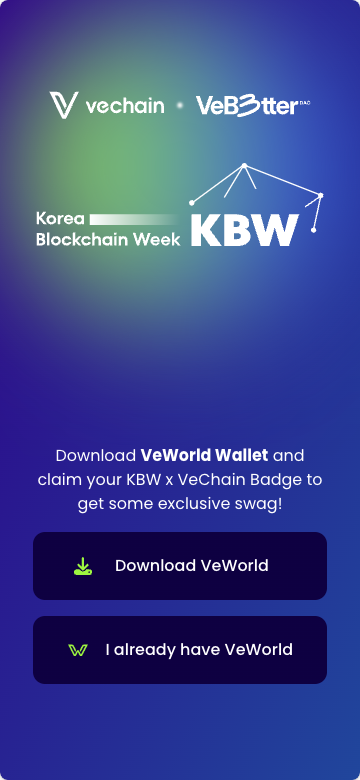
On the landing page, you will find a link to download VeWorld, the web3 wallet developed by VeChain.
You can find a link to our user guide for VeWorld here, if required: VeWorld Quick Start Guide
If you already have VeWorld installed you may skip this step. Otherwise, it is mandatory.Once VeWorld is downloaded, open the application and create a new wallet.
To return to the landing page, either navigate back to your browser or scan the QR code again.
VeWorld includes a QR code scanner, which can be found in the top right corner of the app.Claiming the Proof-of-Participation
Hit the “I already have VeWorld” button. This will redirect you to VeWorld, where you will be prompted to connect your wallet to the page.
Follow the on-screen instructions to proceed.
Depending on the event, you may need to complete a form with mandatory fields. It is important to review the privacy policy and marketing terms (if applicable) to understand how your information will be used and processed.
Complete the form
Click the verification (we need to know you are human)
Hit the “Claim” button.
A modal will appear to confirm the operation.
While the transaction is typically sponsored by the organizer, there may be instances where you are required to pay a transaction fee. If your balance does not cover the fee, the transaction will not be completed, and you will be unable to claim the Proof-of-Participation.
The operation may take a few seconds to complete. If successful, you will see a congratulations screen and message.
You can also share your achievement on your favorite social media platforms.
If the operation fails, refresh the page and try again. If the problem persists, please contact us for assistance.Please note that the operation may fail if you have already claimed before, as the claim is limited to one Proof-of-Participation per user.
Showing the Proof-of-Participation
In some cases, the event organizer may request that you display the digital collectible.
To do so, follow these steps:
Open VeWorld.
Navigate to the NFT tab selecting it from the bottom bar.
Select the collection and choose the image you previewed during the claiming process.
Feel free to contact us if you have any other questions or need further assistance.
Was this article helpful?
That’s Great!
Thank you for your feedback
Sorry! We couldn't be helpful
Thank you for your feedback
Feedback sent
We appreciate your effort and will try to fix the article