TABLE OF CONTENTS
- Introduction
- What is Proof of Participation
- Concept
- Requirements
- Create an Account
- Create a new Event
- Create a new Campaign
- Difference between Event and Campaign
- View a Campaign
- Edit an Event or Campaign
- Pricing
- FAQ
Introduction
Proof of Participation (PofP) is a marketing tool designed for event managers, facilitating the creation and storage of digital collectibles for events through a no-code, smart contract platform on the VeChainThor blockchain.
What is Proof of Participation
A Proof of Participation (PofP) collectible or badge is an NFT, adhering to the ERC-721 standard, serving as a digital proof of participation in events, which may be on-line or in-person. These digital records, being on public blockchains, are permanently accessible to attendees and can be traded.
With PofP, digital collectibles are cheap and fast to mint (you just have to upload a square picture) and can be used either to replace gadgets or in combination, making the production more efficient or the distribution smarter.
Utility
You are solely responsible for assigning utility to a PofP. In general, they are meant to recognise your community members or attendees in a discrete way.
Concept
Imagine ordering exactly the merch you have to distribute to your visitors and not having to carry boxes around, collecting waste, and manage user disappointment when merch is over or not yet arrived.
PofP removes the complexity of blockchain, and of the need to deal with cryptocurrencies for both you and your users! PofP works with credits, where 1 credit = 1 transaction, effectively onboarding non-crypto-native users on the blockchain for free, thereby potentially increasing client attractiveness and conversion rates.
Every month, you will be given 20 new free credits, that stack on your current balance. Each credit can be used to pay for the transactions of your users.
If you exceed your residual credits, your users will have to cover for the fees, and they need to have a cryptocurrency, VTHO.
It's strongly suggested to set the maximum number of badges of a Campaign lower or equal to your credits.
Requirements
To get started, you will need few essential things:
- An Account to login
- A Logo for every Event
- A Badge to distribute as Proof of Participation
- Terms and Conditions of the Campaign
If you decide to collect user information, you will also need a Privacy policy document.
Recommended size:
For the logo is a 2:1 ratio, SVG or PNG format. While the badge should be square, with a recommended size of 400x400.
Terms and Conditions shall meet the purpose of the Campaign. It’s your sole responsibility to provide them.Create an Account
To sign-up, go to the website: https://admin.pofp.app
Hit the sign-in button
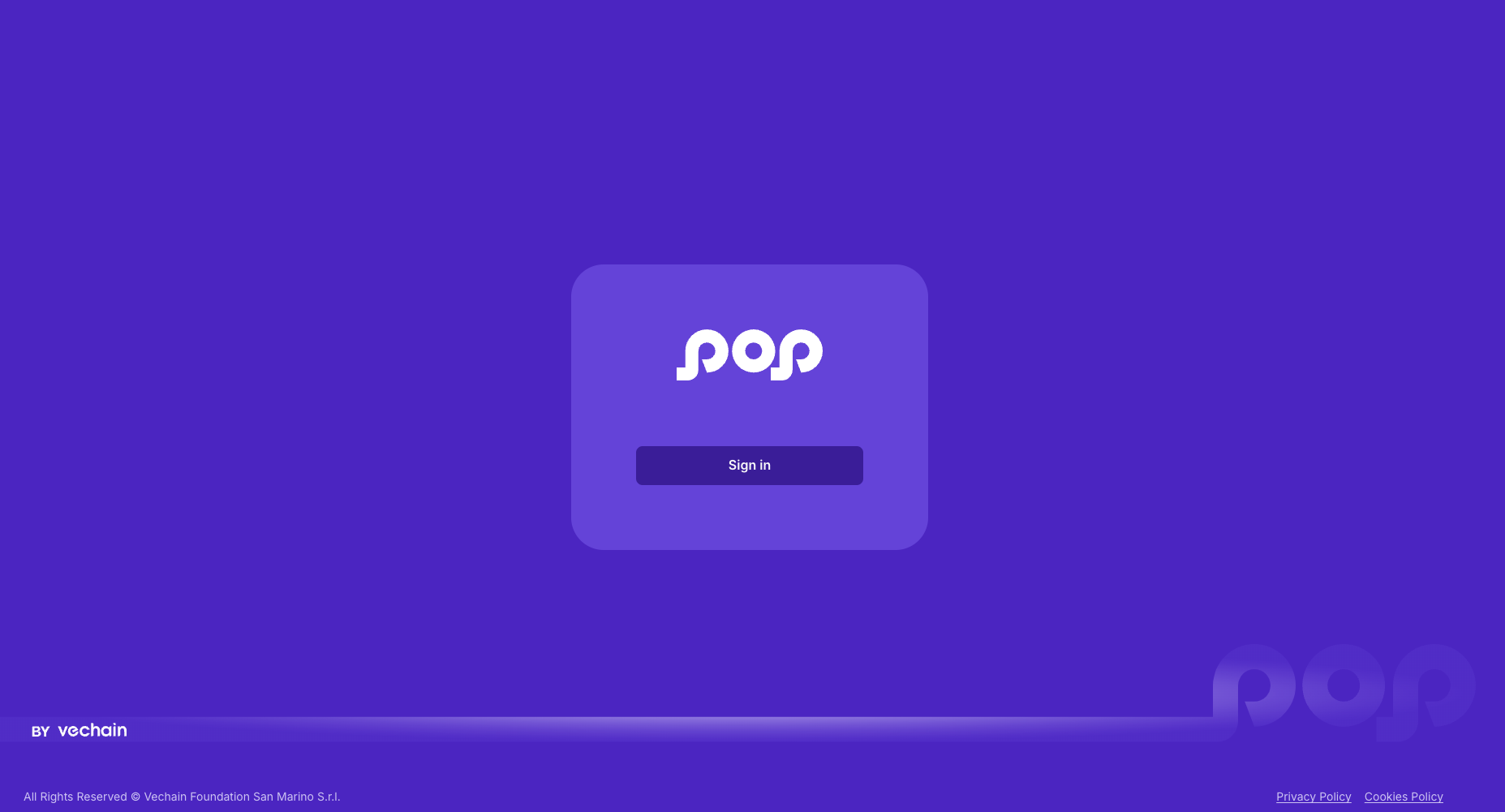
Now, find the sign-up link in the bottom right corner of the modal.
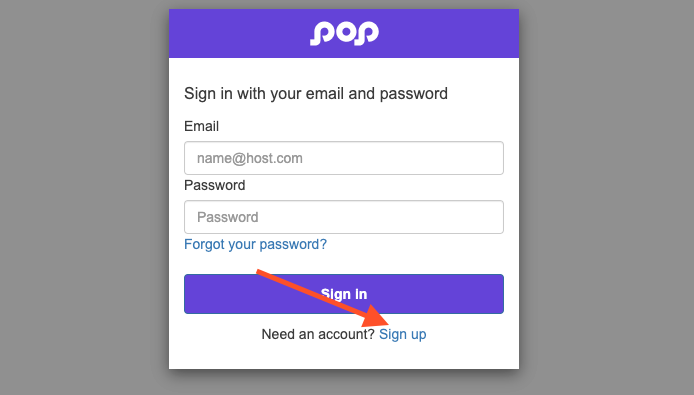
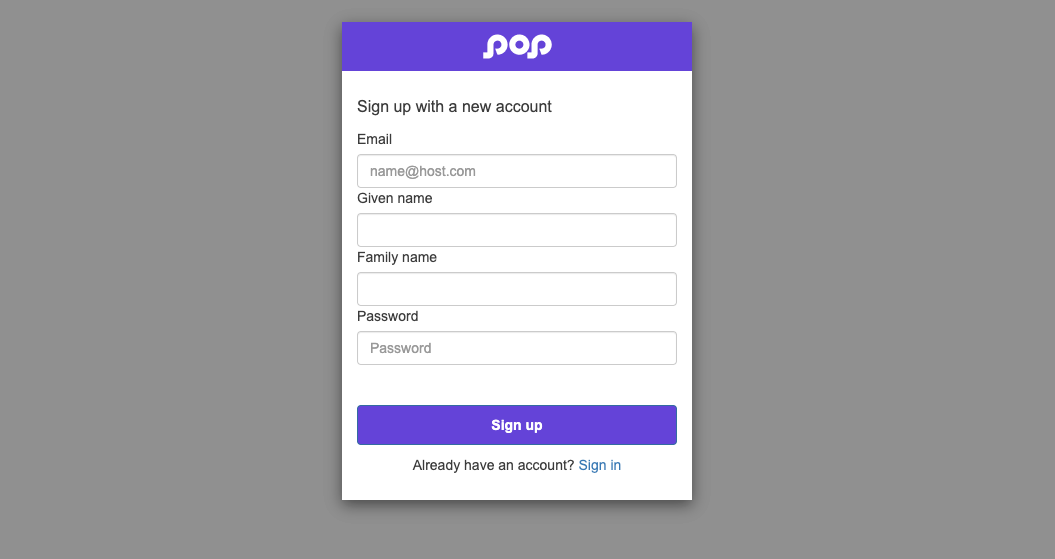
Fill the form with your information, make sure to use a valid email. It will be used for the verification code.
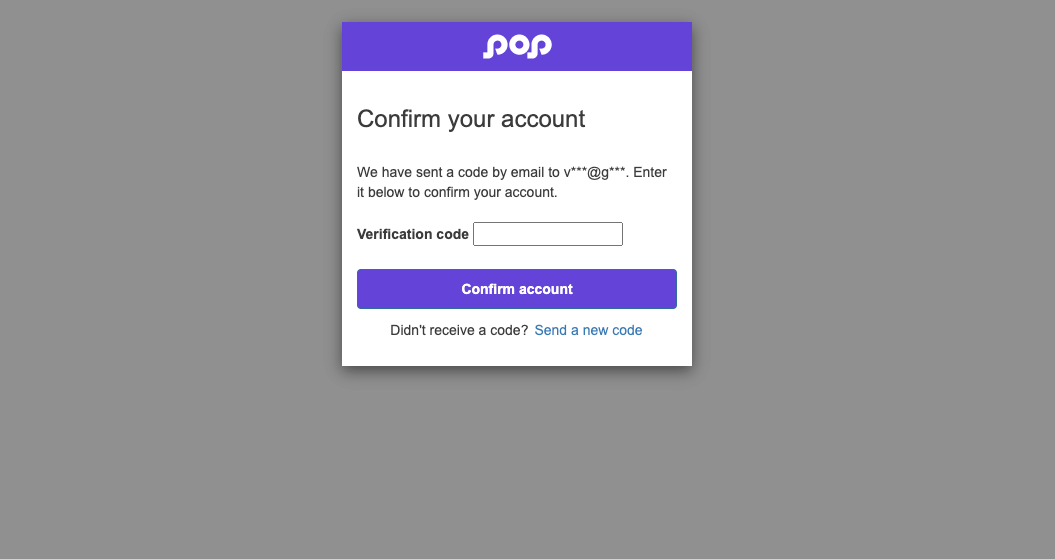
Find the verification code in the email you will receive, and paste or copy it in the dialog window
 Make sure to read, understand and agree the Terms and Conditions, and the Data Processing Agreement, check the two boxes and proceed.
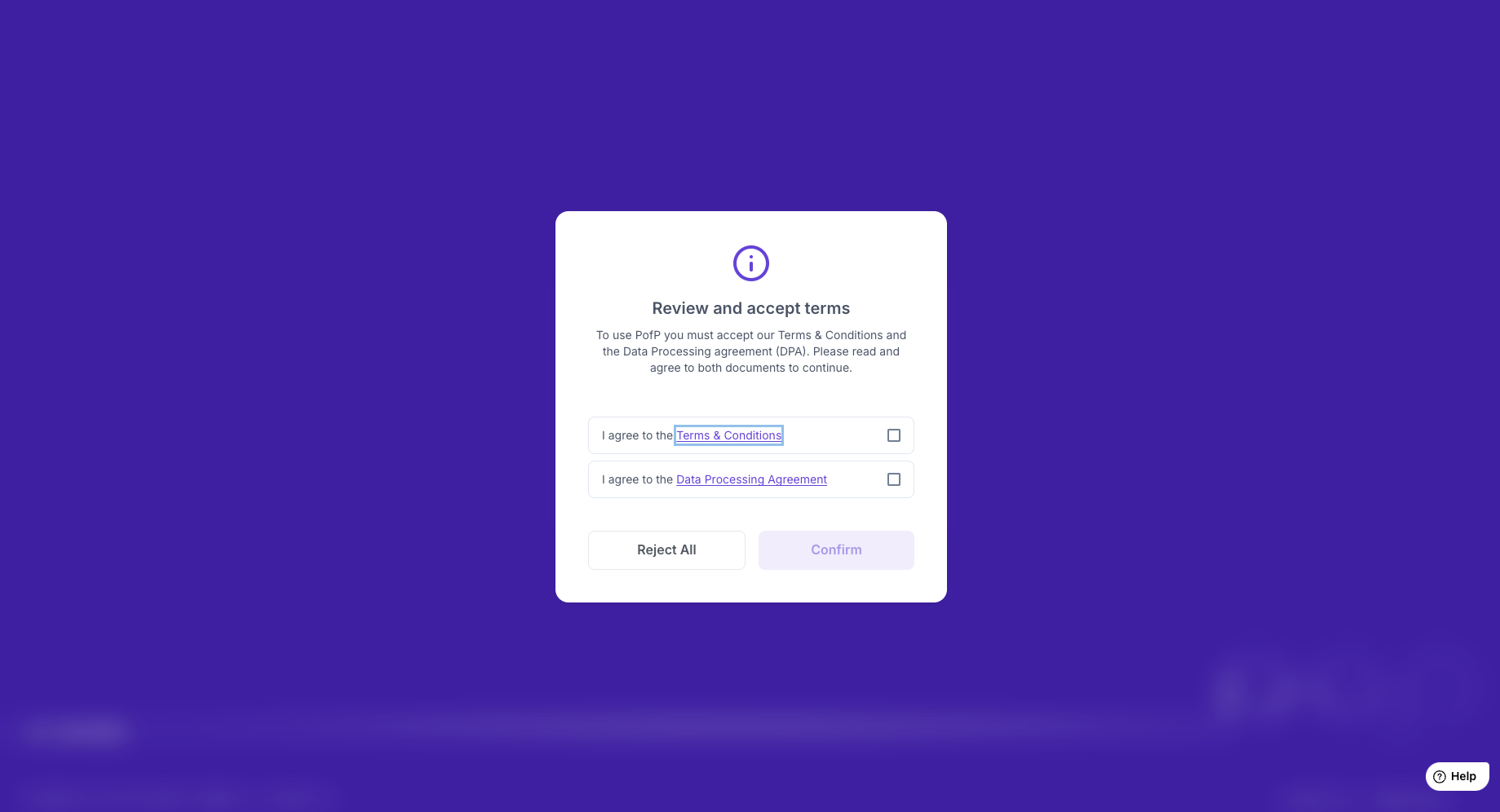
The actual pages may look different from the examples.
Create a new Event
After login, hit the Create Event button
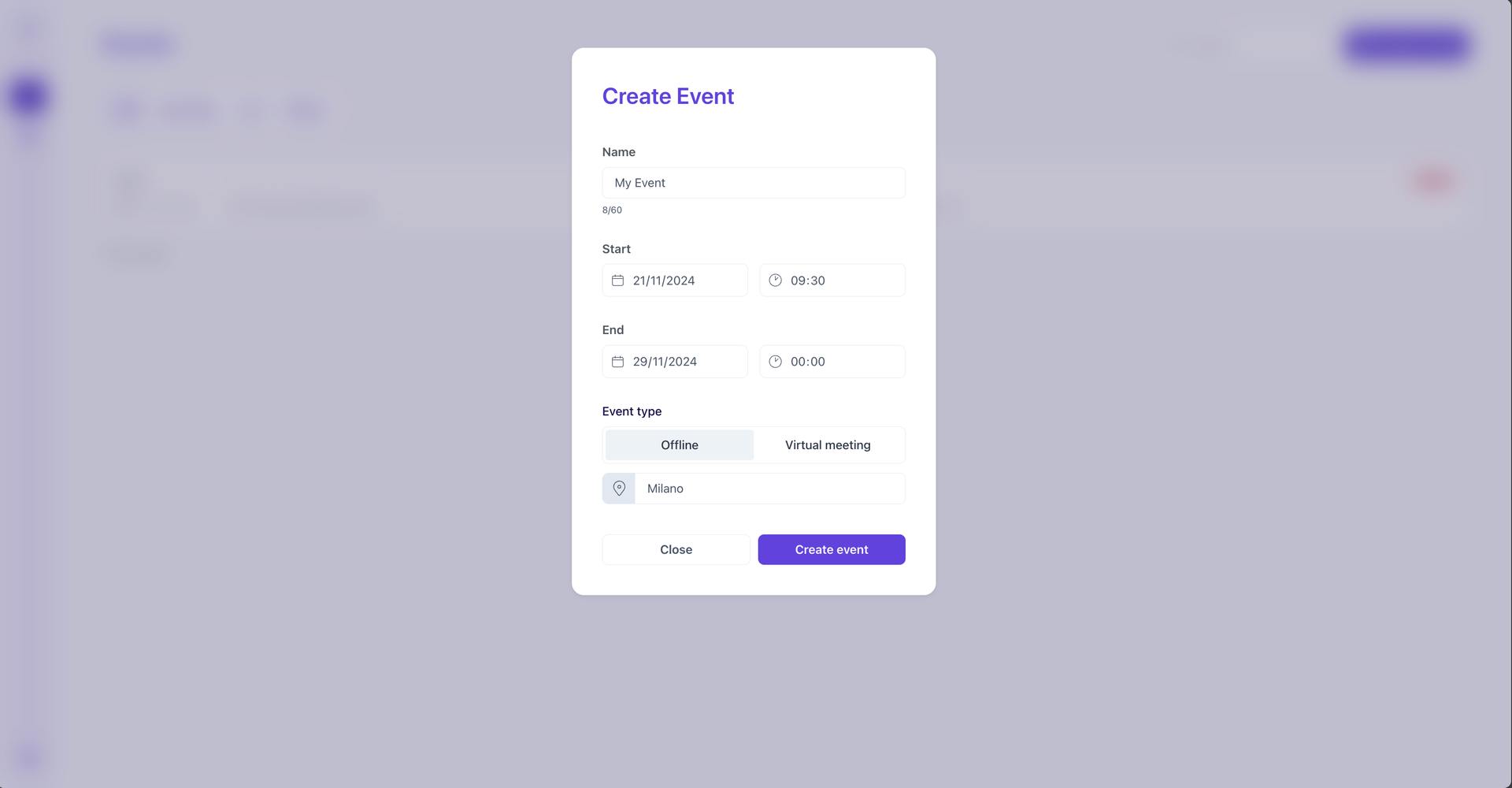
 Fill the form with the very basic information of your event
 Hit Create event and customise the messaging to your preferences.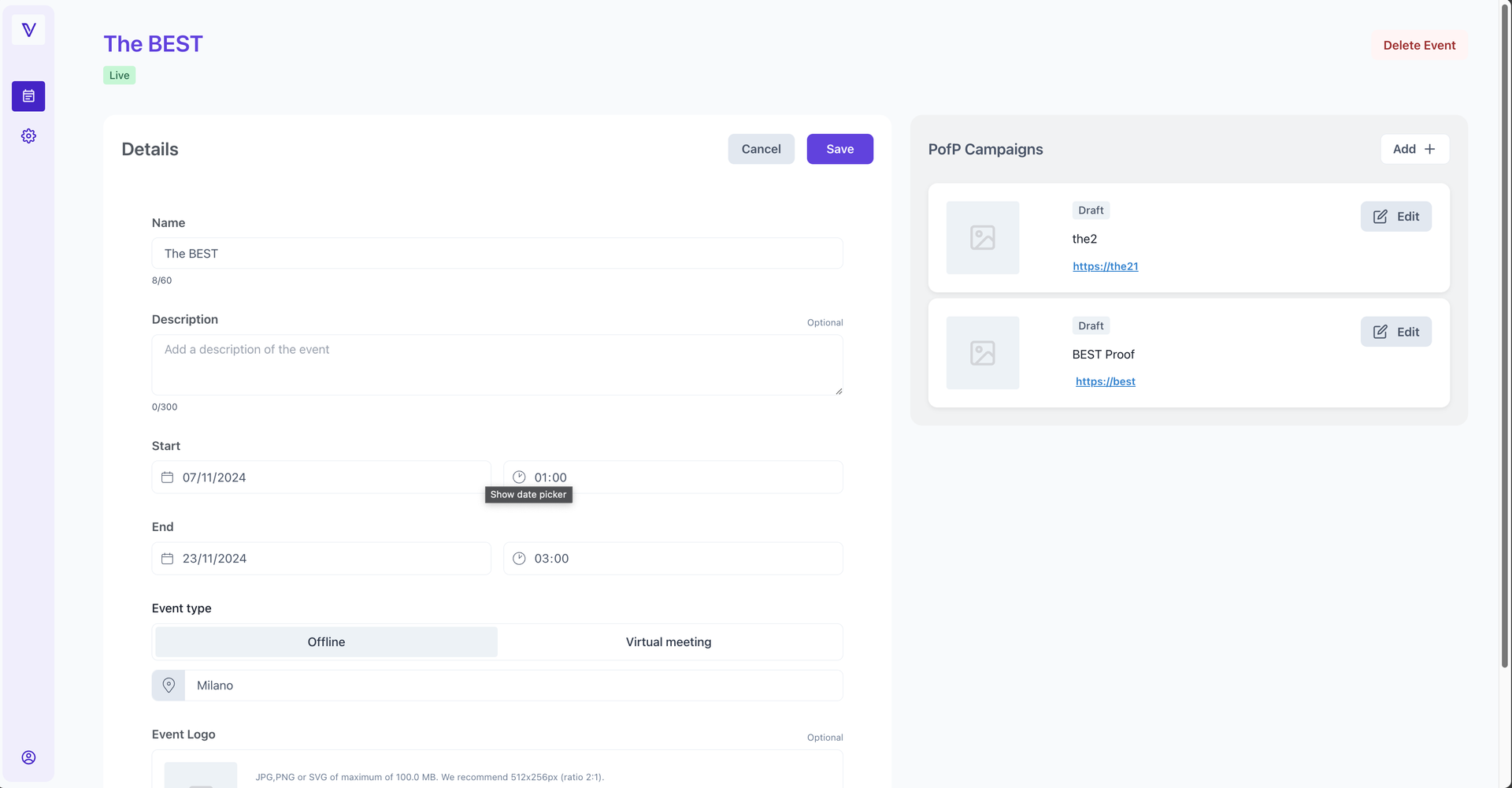
Now upload a logo for the event, but don’t forget to hit Save!
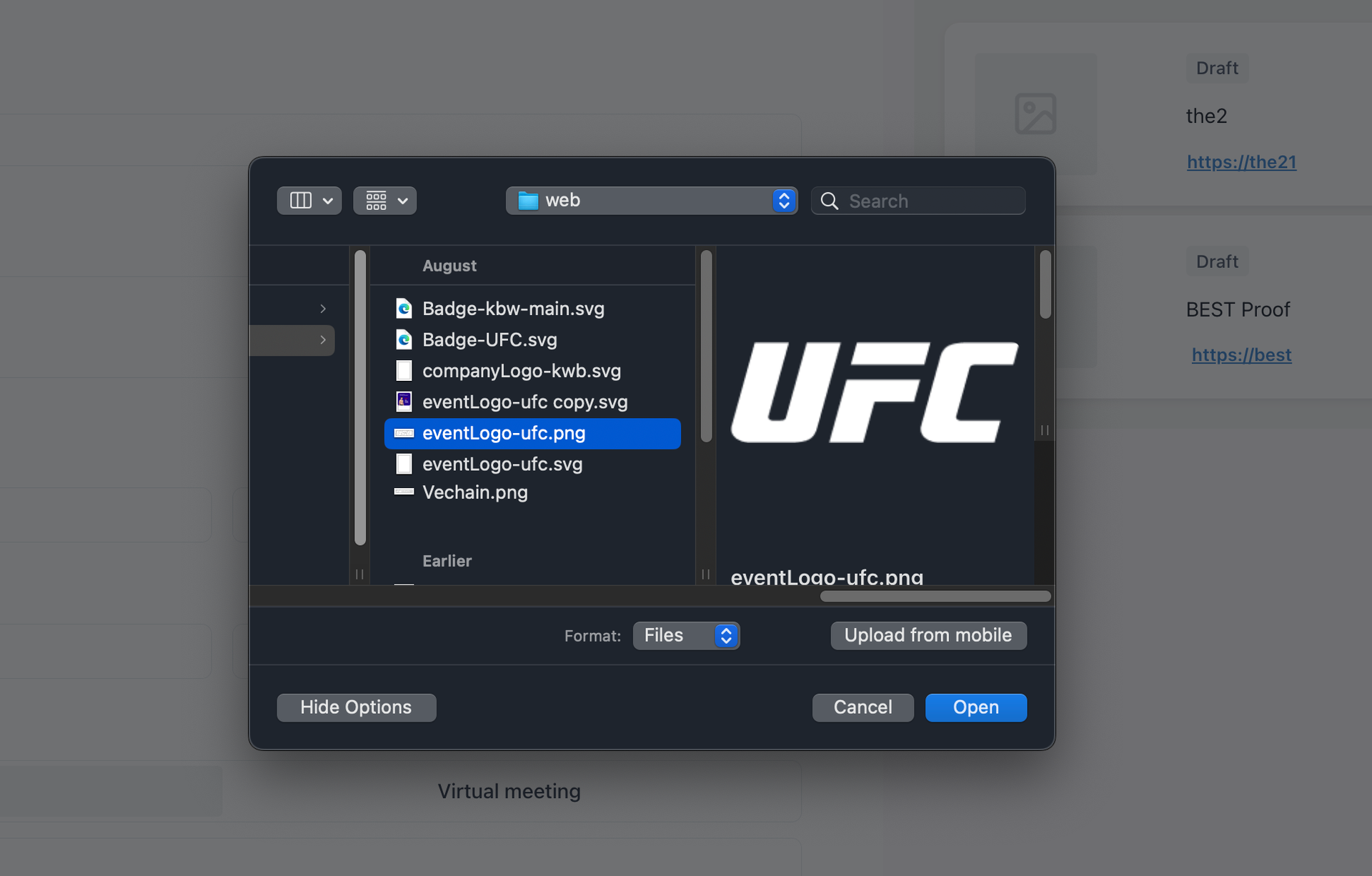
The actual pages may look different from the examples.
Create a new Campaign
Inside every Event, you can create as many Campaigns you want. Campaigns are meant to help you create engagement around your Events before (e.g. contests to win the tickets for free), during (distribution of Proofs of Participation), and after it has ended (e.g. airdrops or exclusive benefits for attendees).
Campaign types
PofP is design to support multiple Campaign types, to handle what happens before, during and after the event. PofP currently supports only the distribution of Proof of Participations claimable for free by your users, using some of your credits to pay for transaction fees.
The process below, describes how to create a PofP Campaign.
On the right side of the page, hit Add +.

Fill in the details and hit Create Campaign.
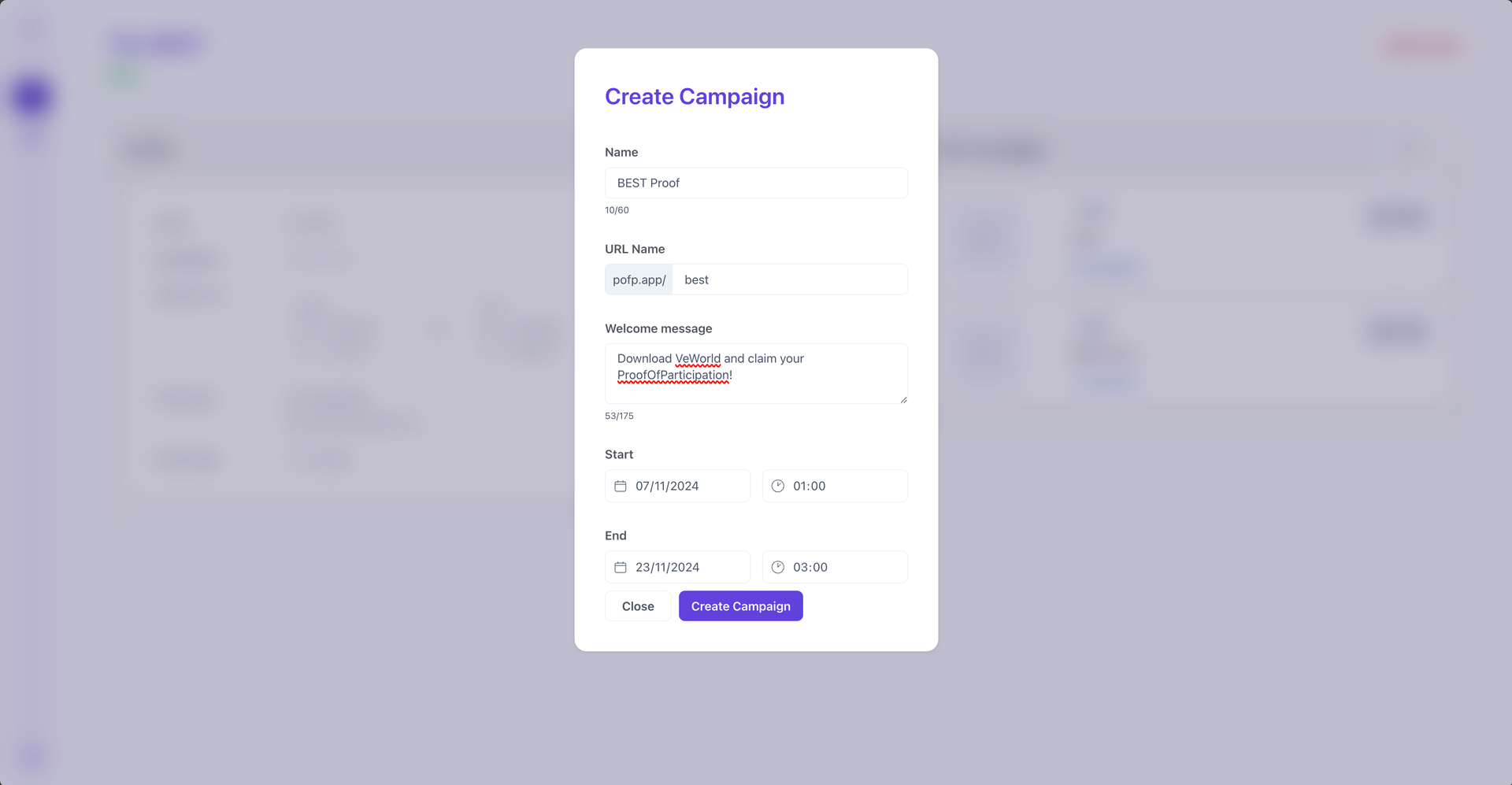
Select a theme for the claim page that will be presented to your users between the 3 themes we currently support (light, dark, purple).
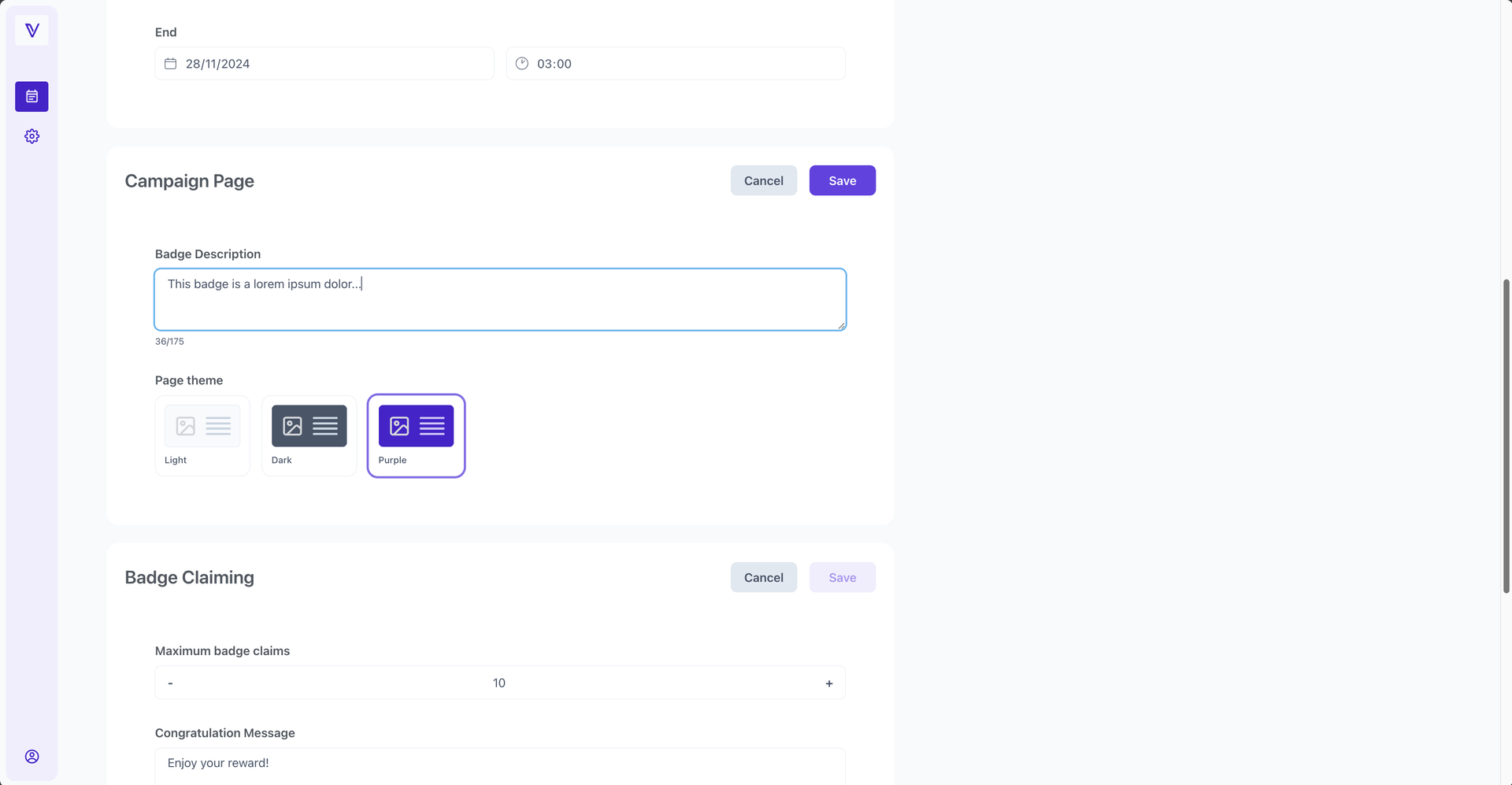
Select the maximum number of badges to distribute.
Proceed by also pasting the URLs of both your Terms and Conditions and Privacy policy documents.
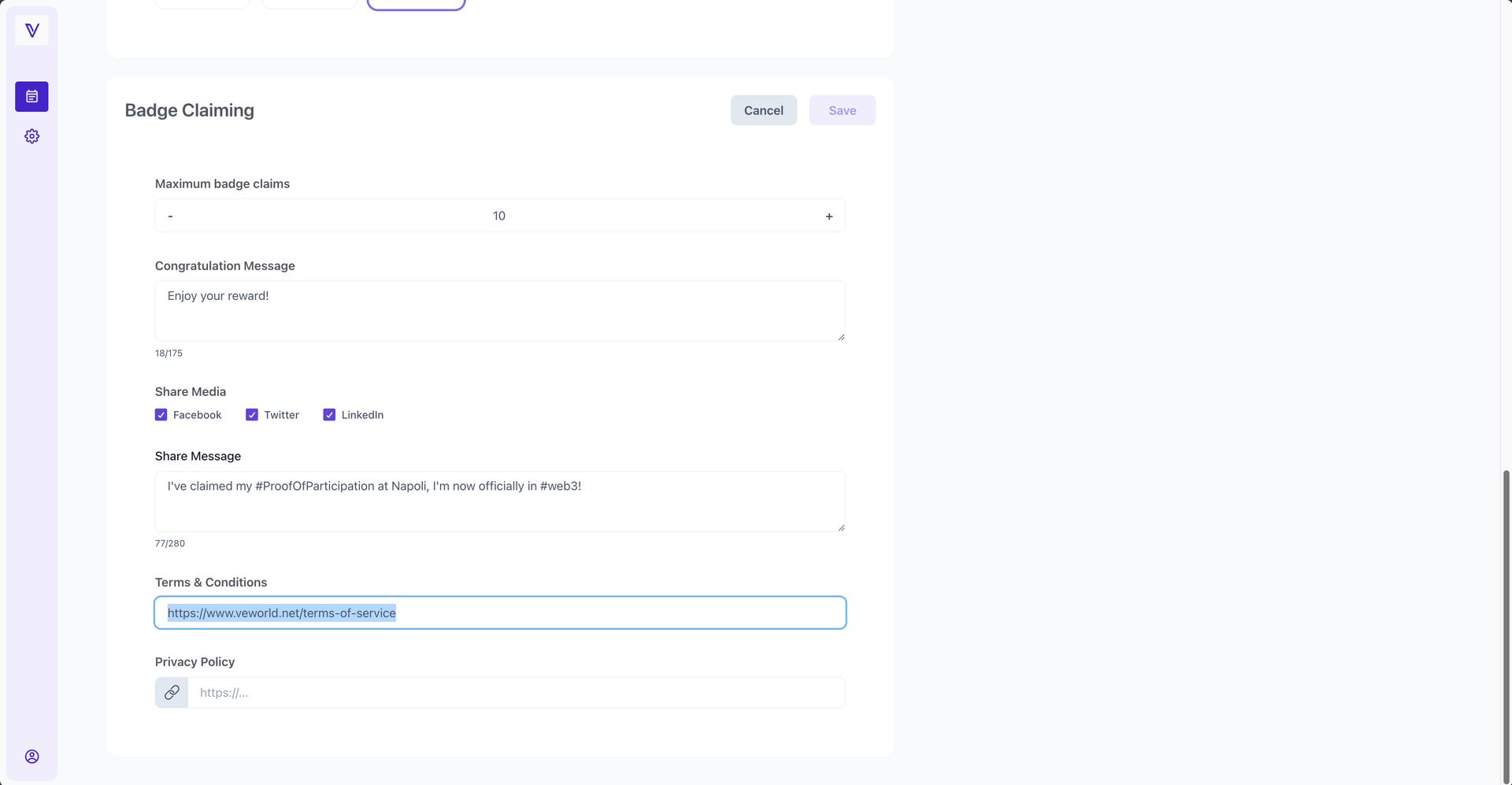
Save the progress, and then upload a badge (400x400 png) to distribute.
The badge will be automatically deployed as an NFT on the blockchain.
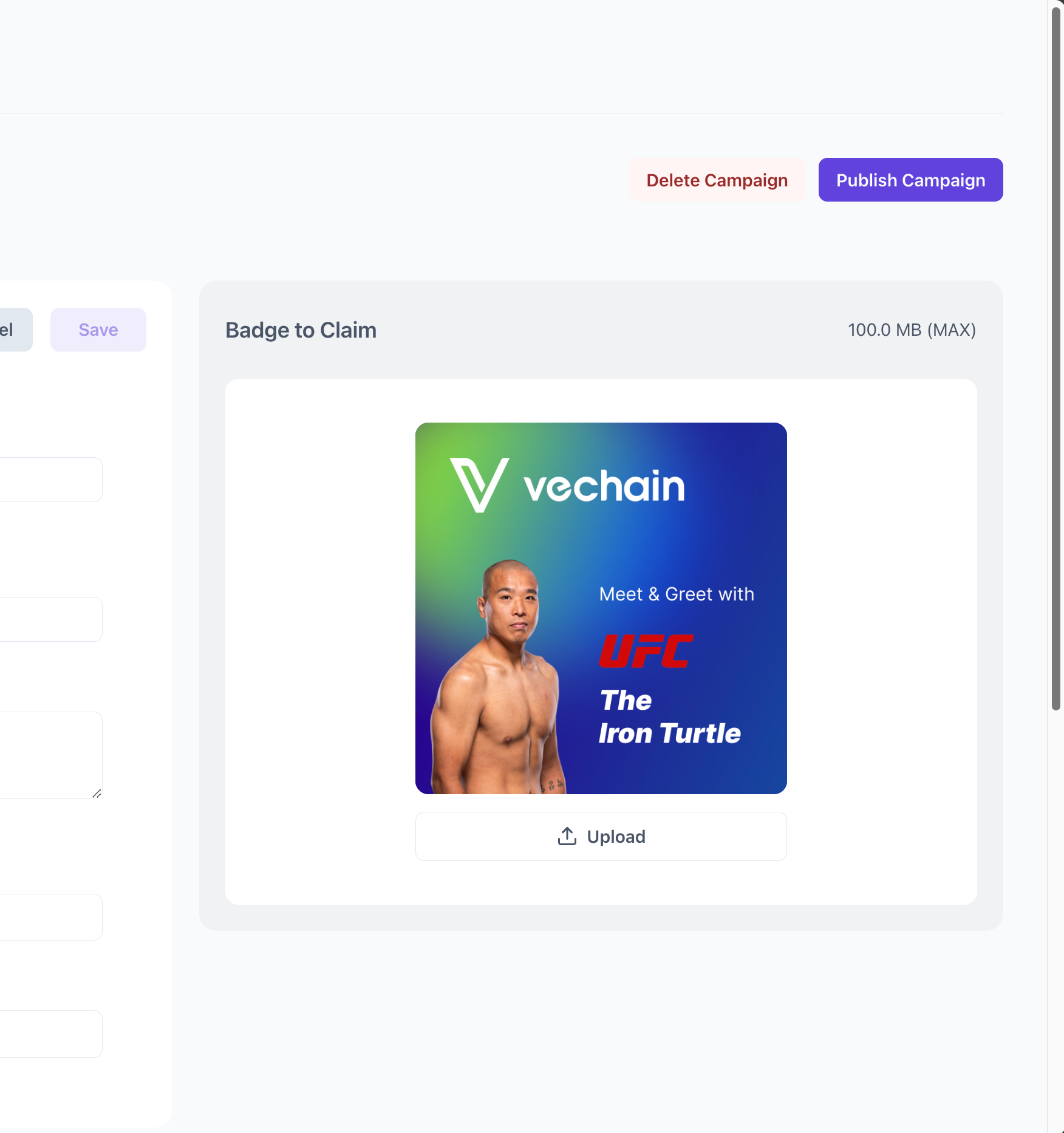
You can finally Publish your Campaign.
Proof of Participation is meant for professionals and organizations. To create a Campaign where no personal data is collected, you just need to link the terms of use of the Campaign.

If personal data is collected then, in order to comply with GDPR, a Privacy policy will also be required.
The actual pages may look different from the examples.
Difference between Event and Campaign
A Campaign is a single instance of a WebApp deployed for a single use by your users. It should correspond with a marketing campaign, or whichever initiative or giveaway the digital asset is used for.
An Event, on the other hand, can include multiple campaigns running simultaneously (e.g. booth promotion, virtual AMA, etc).
View a Campaign
To view a published campaign, visit the URL chosen during creation. It will begin with 'pofp.app/'.
The URL will also be visible in the 'event details' section.
If you don't remember, or you don't want to type it manually, you can always go to the event details and check on the right panel which are the Campaigns related to your Event.
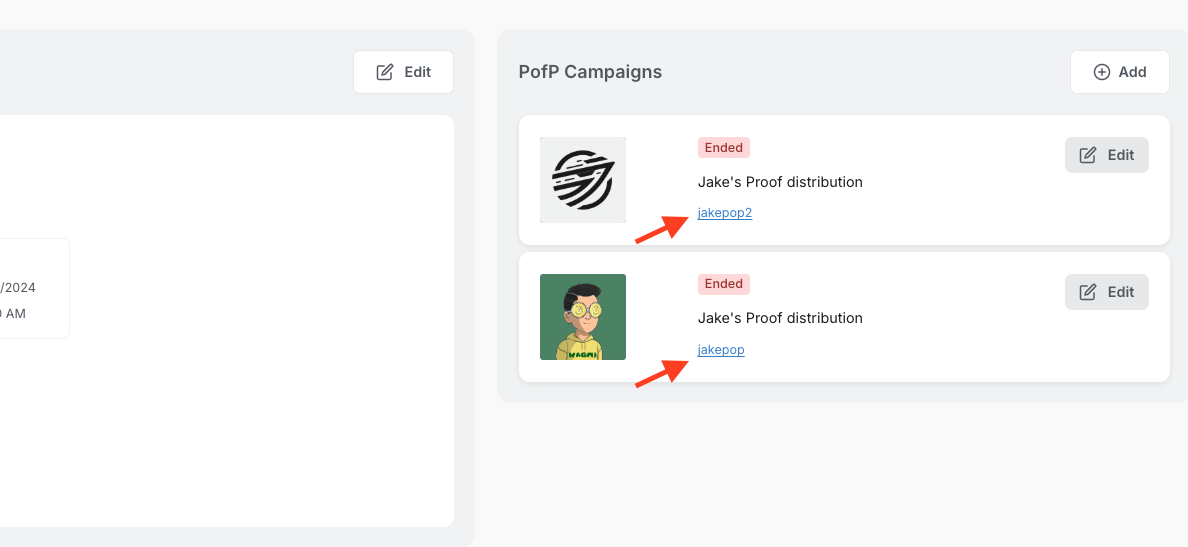
To promote your Campaign, you can either share the link on your social media, print it or show it as a QR code during your event.
Edit an Event or Campaign
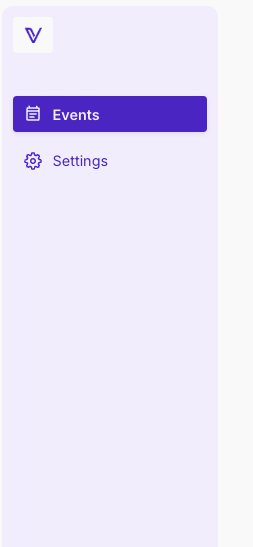
Once logged-in, go to the sidebar and hit Events
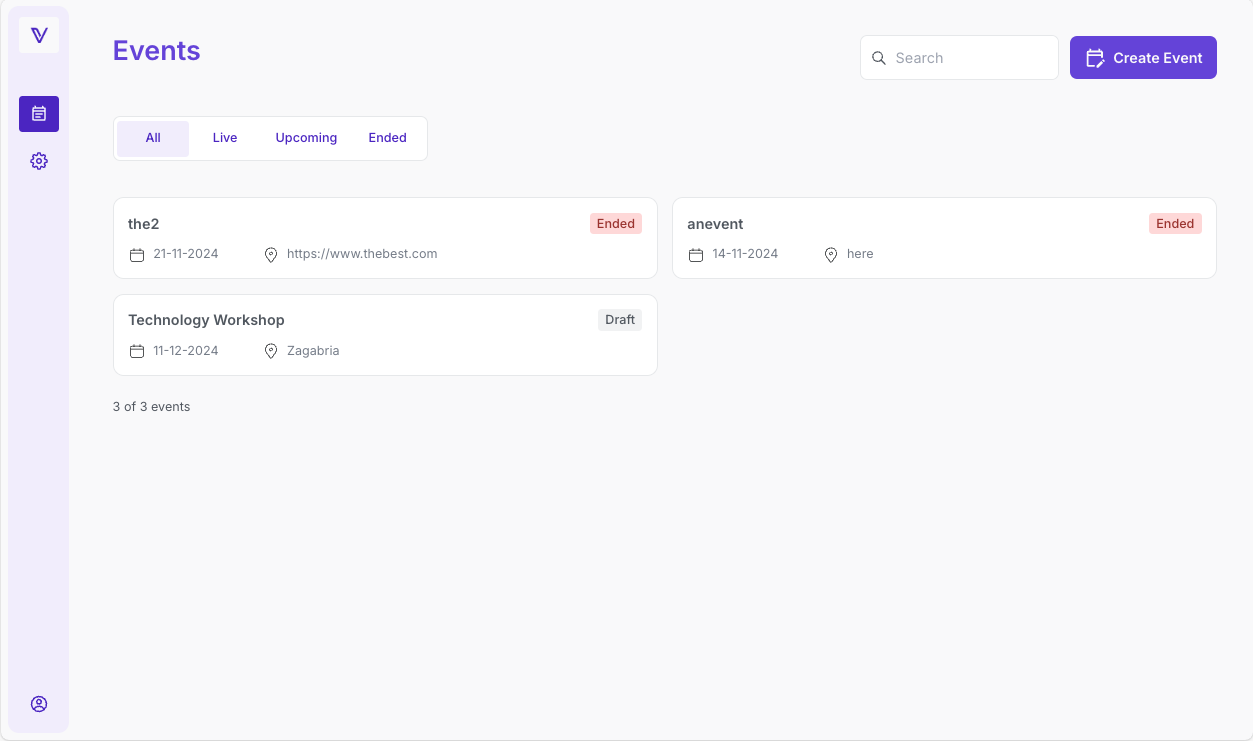
Select the Event you want to edit, or the one related to the Campaign you are trying to edit. In the example, let's say we want to change "the2".
To change information or details about your event, use the 'Edit' buttons (ref: red arrow, blue arrow).
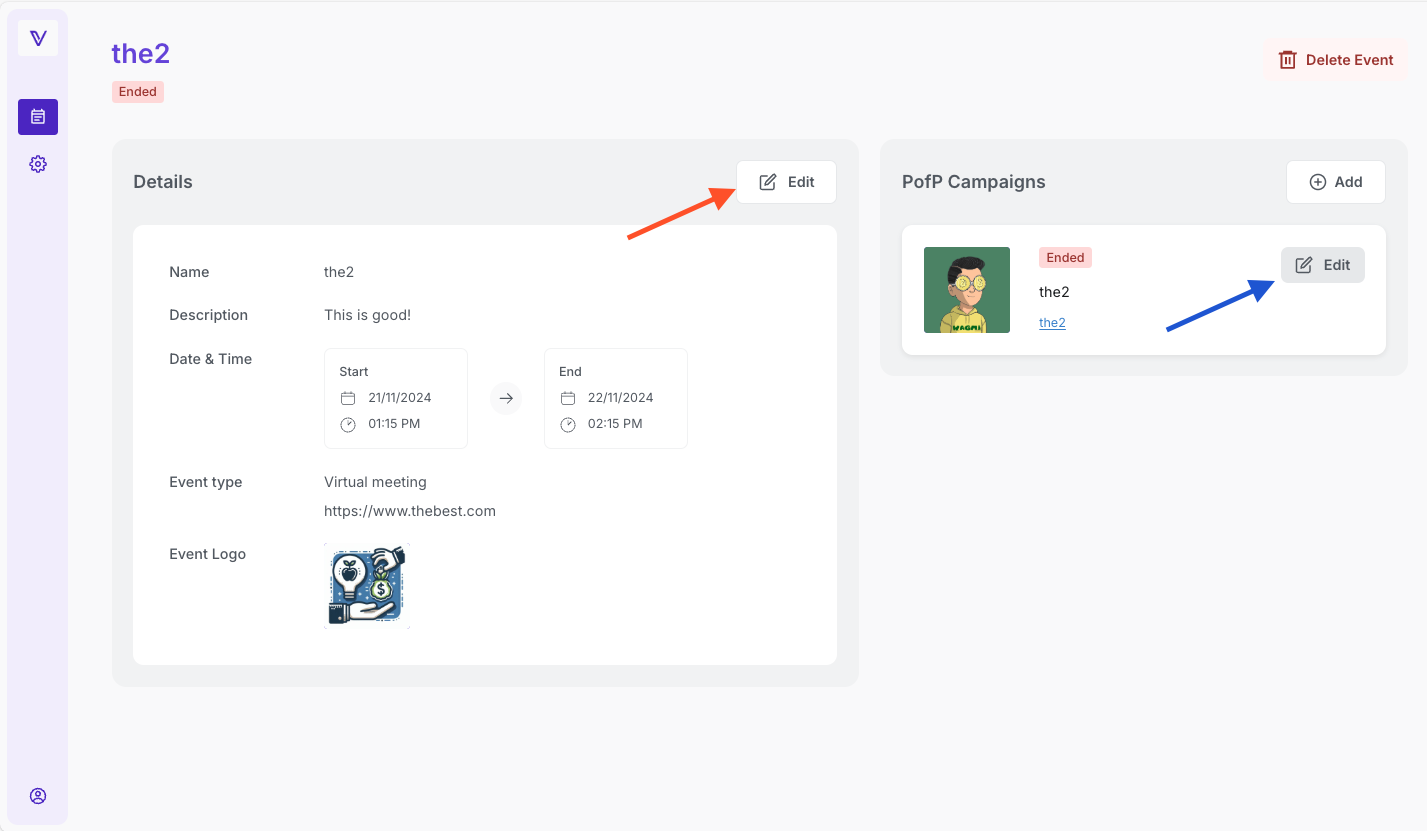
The process is the same you have seen for the creation. Once finished, press save before you leave the page.
Please note: After a certain stage, information can no longer be changed - i.e., once it has been submitted to the blockchain. Please ensure all details are correct before launching.

I.e., when a Campaign is published, you can't change the name, description or badge, since it's stored on the blockchain.
The actual pages may look different from the examples.
Pricing
Proof of Participation is currently in Beta, and will be available free of charge.
Additional features and information will be detailed in future updates.
Instructions for users
As the event organizer, you may request your users to show the digital collectible from their phones.
Guide them through these steps:
- Open VeWorld.
- Navigate to the NFT tab by selecting it from the bottom bar.
- Select the collection (usually it's the event's name).
- Choose the badge you previewed during the claiming process.
FAQ
Who can create Campaigns?
As a marketing tool, Proof Of Participation is meant for professionals and organizations.
The requirements are to sign-up and being able to produce valid Terms and Condition documents for your Campaigns.
At the first login, you will be required to read and accept the terms of use of the platform and the DPA.
Obtaining credits to pay for user transactions, the first time, is a manual task - a member of our team will assign them to your account, which may cause a slight delay.

You may still create Campaigns, please contact us if you need credits sooner.
What is the meaning of the status tag?
Both an Event and a Campaign do have a status, that is linked mainly to the start and end dates.
- An Event remains in the DRAFT state as long as there isn’t any published Campaign.
- A Campaign must be published by hitting the Publish button, until then it will remain in the DRAFT state.
- Once published, a Campaign is usually UPCOMING while it becomes LIVE at the start date and time.
- Both Campaign and Event become ENDED once the end date and time is reached.
| Event | Campaign | |
| DRAFT | No published campaign | Smart contract not deployed. Your Digital collectible was not created on the blockchain yet, all changes are still possible (e.g. to the badge description, replacing the badge image) |
| UPCOMING | Published at least one campaign within the event, with start date of the event in the future | Published, with start date of the Campaign in the future |
| LIVE | Between the Start date and End date of the event | Between Start date and End date of the Campaign |
| ENDED | When the End date of the event is in the past | When the End date of the Campaign is in the past |
Note that LIVE or ENDED Campaigns can't be deleted.Why do I need to provide "Terms and Conditions"?
When you create a Campaign, you decide its content and its use. VeChain has no control or association with any of it, and this must be made clear to users.
General terms of use, including interactions with the blockchain, are covered here: VeChain terms and condition and should be used for each individual Campaign.
Why do I need to provide a "privacy policy"?
PofP offers the possibility to export the information of the users who claimed during a Campaign with the download button (export to CSV).
If you collect any personal information, such as names, addresses or emails, you must use a privacy policy.
In Proof of Participation, you can select between several claim forms usign a drop-down menu.
Information such as a wallet address, is not considered personal information and therefore does not require one. This option goes under the name "Only Wallet".
Claim forms can be useful to collect user information during the Campaigns that can eventually be imported in a CRM.Feel free to Contact Us if you have any other questions or need further assistance.
Was this article helpful?
That’s Great!
Thank you for your feedback
Sorry! We couldn't be helpful
Thank you for your feedback
Feedback sent
We appreciate your effort and will try to fix the article